Amazon Pay - Reminder widget redesign CX
Amazon Pay - Reminder widget redesign CX

Amazon Pay - Reminder widget redesign CX
Introduction
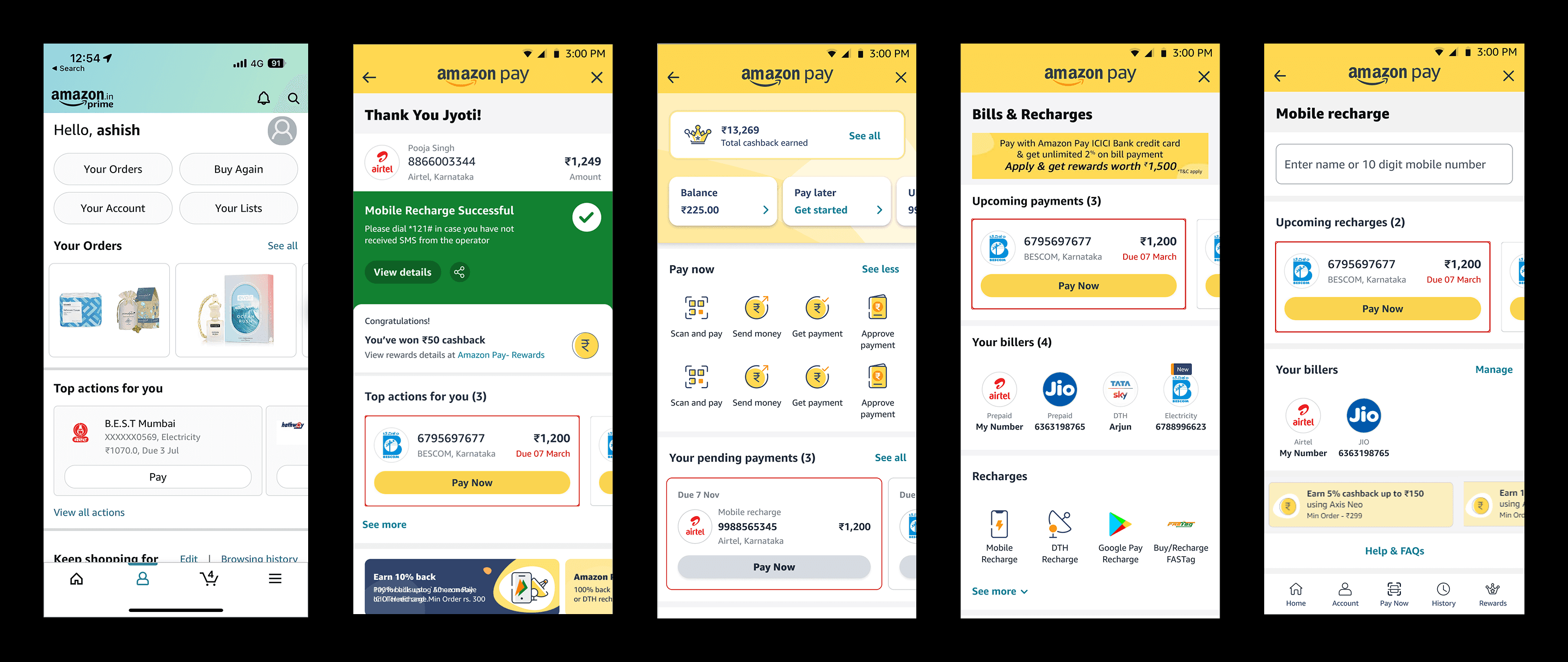
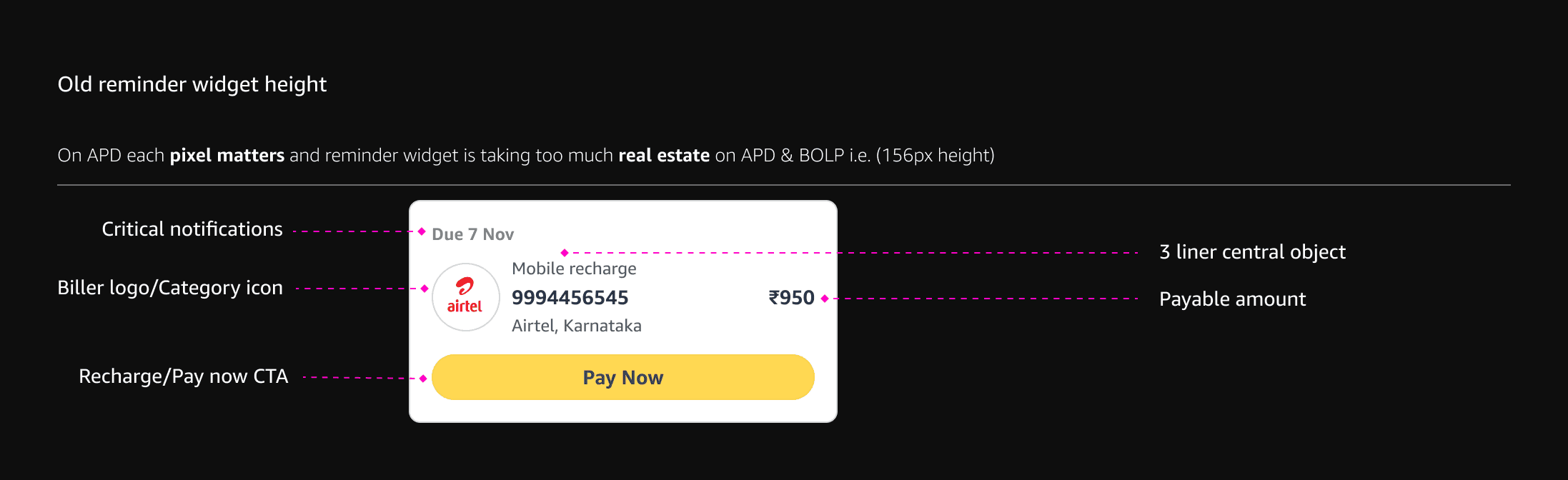
The existing reminder widget on the Amazon Pay dashboard and BOLP falls short in both functionality and layout efficiency. It lacks essential actions such as dismissing reminders, marking payments as complete, or editing nicknames—limiting user control and flexibility. Additionally, its current height of 156px occupies excessive screen space, pushing critical information below the fold and negatively impacting overall usability.
What problems are we solving?
1.Efficiency
The current reminder widget is missing key options like the ability to dismiss, mark as paid, edit nickname,... etc. Additionally, the reminder widget is taking up too much space (156px height) on Amazon pay dashboard and BOLP, causing a lot of important information to be displayed BTF.
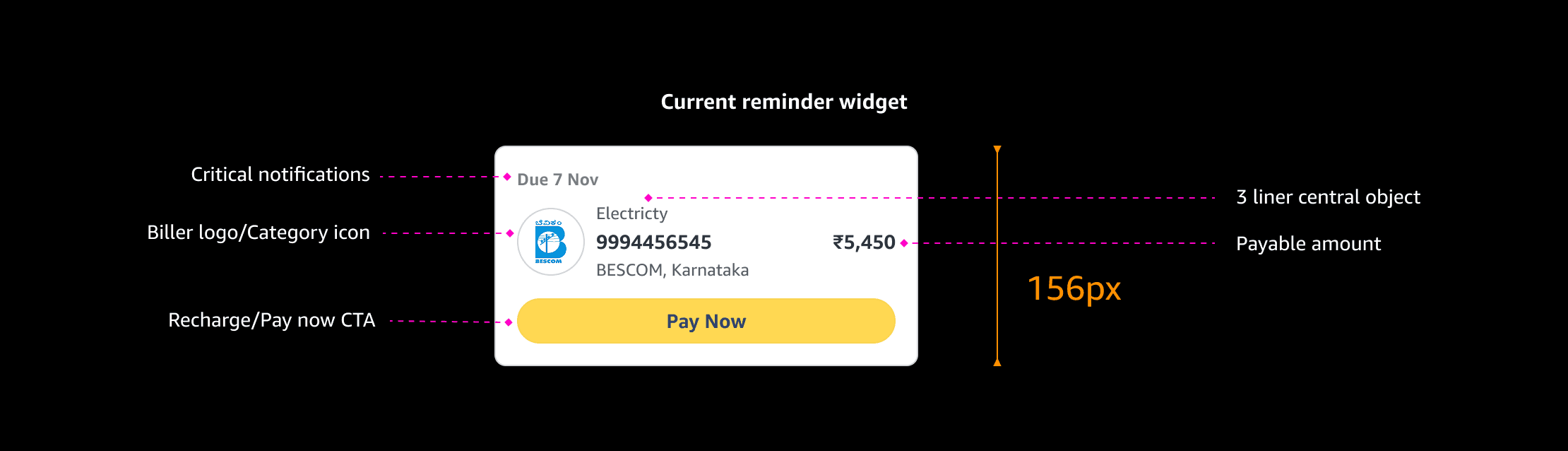
2. Inconsistency across footprints
On APD each pixel matters and reminder widget is taking too much real estate on APD & BOLP i.e. (156px height)
Design goals :
Let’s design
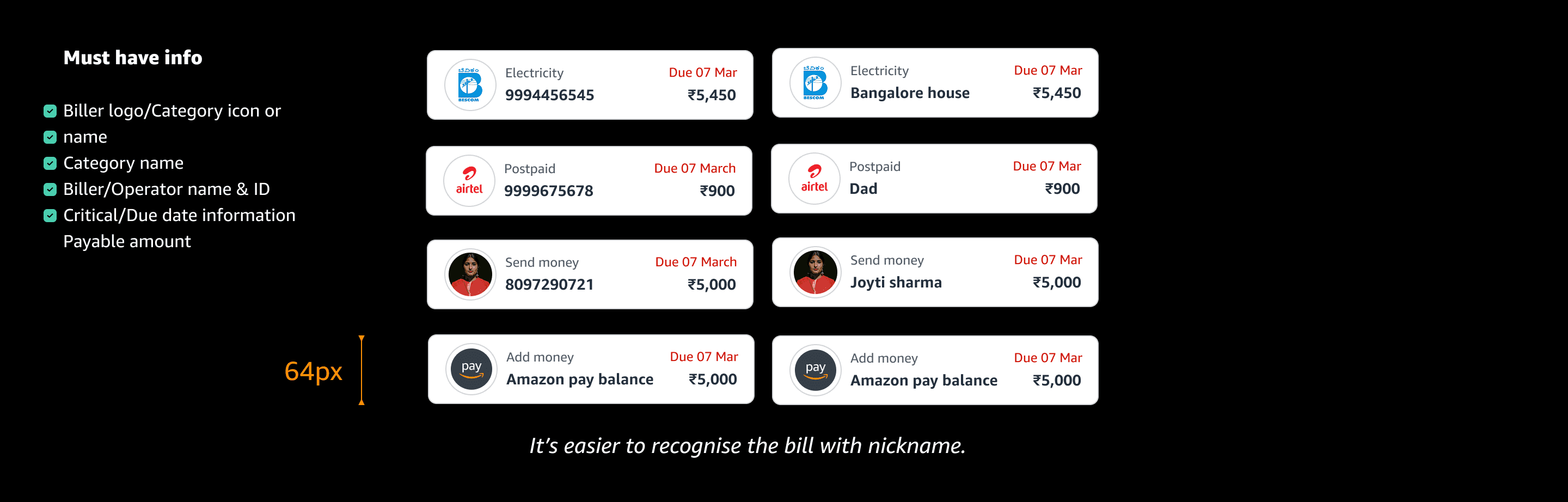
Question: What are the essential details customers must have in order to pay their bills?
Scenarios:
Today I want to check & pay electricity bill of my dad’s house.
I want to pay BESCOM electricity bill of Rs.5,450 for my dad’s house which is due on 7 March 2023.
Option 1:
Can we bring CTA affordance?
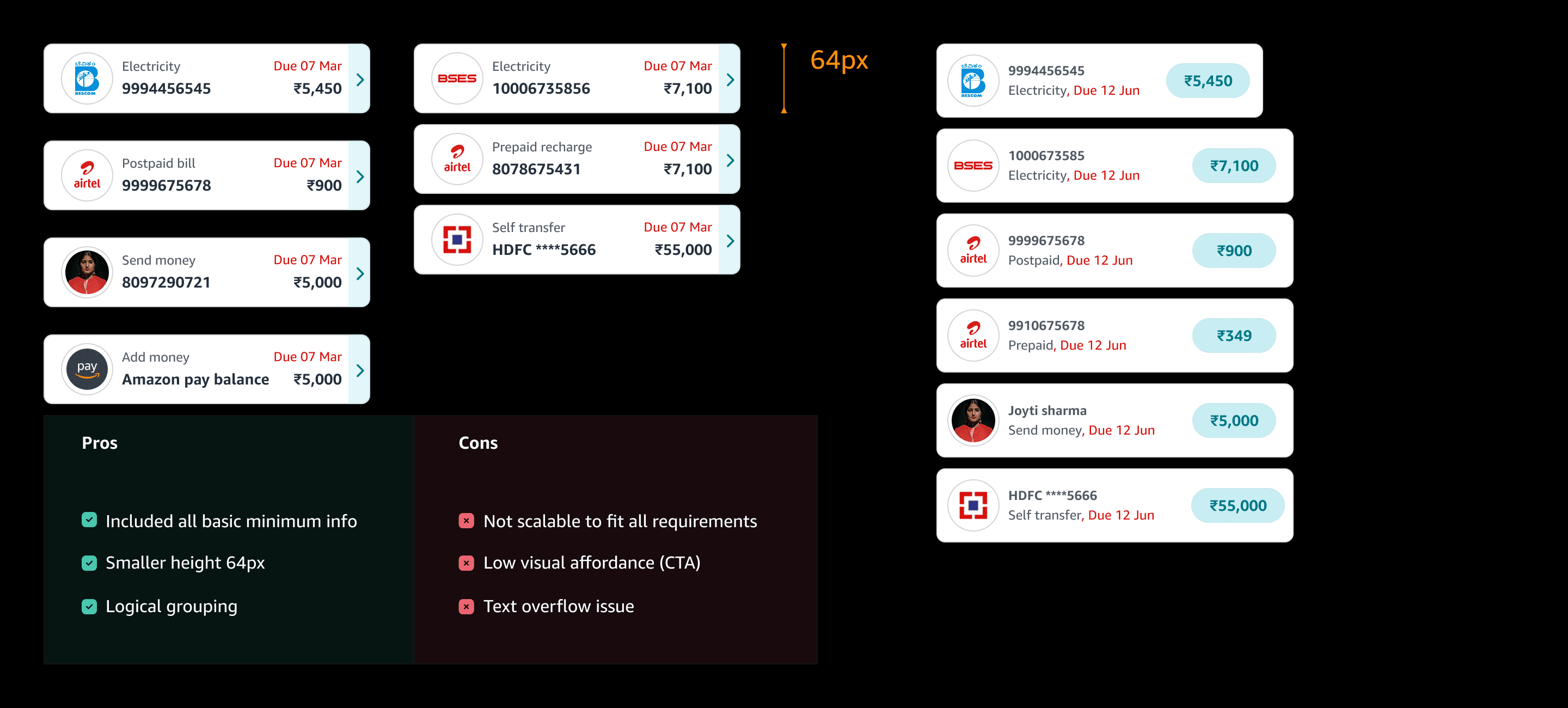
Option 1:
Let’s try another variations.
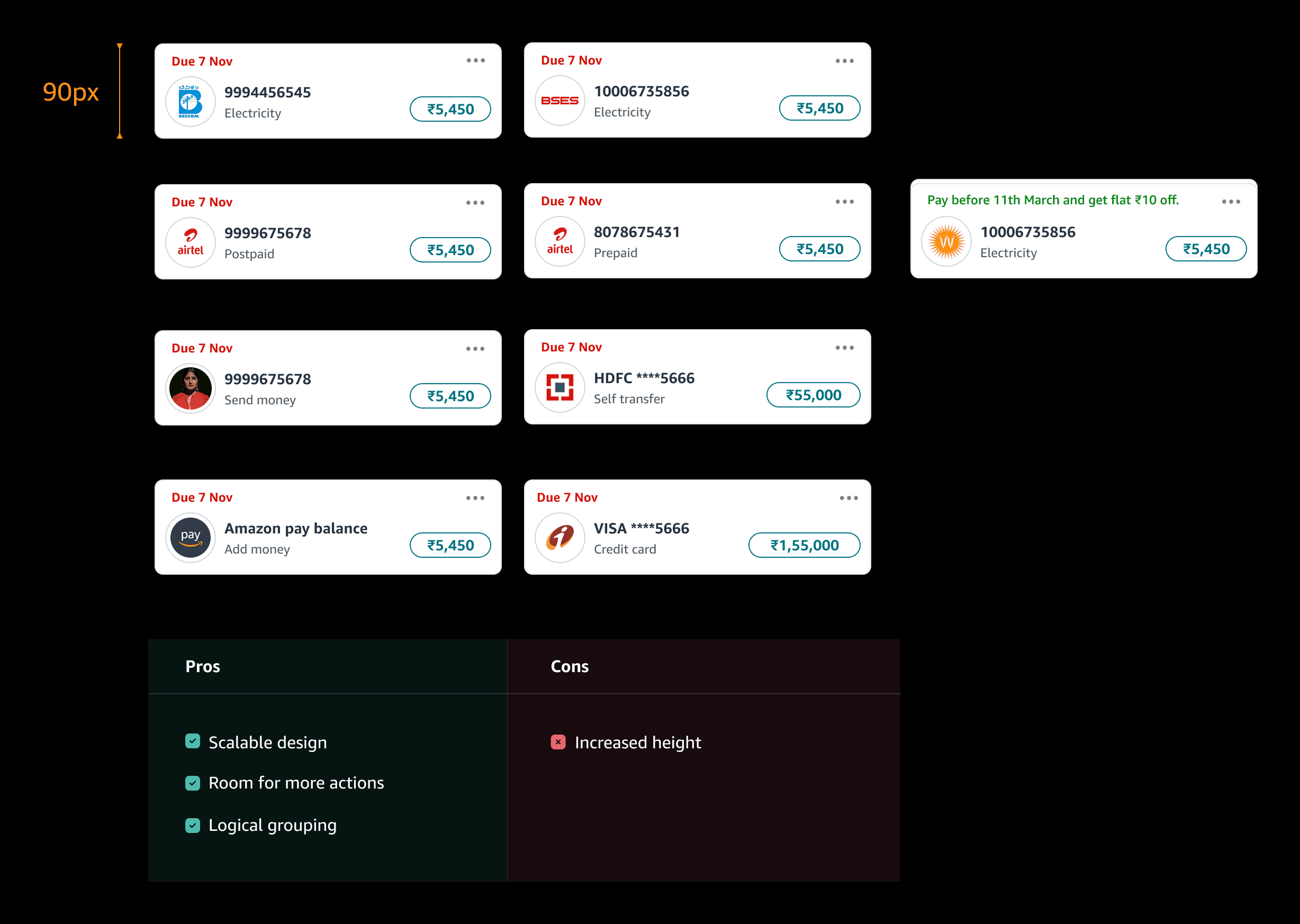
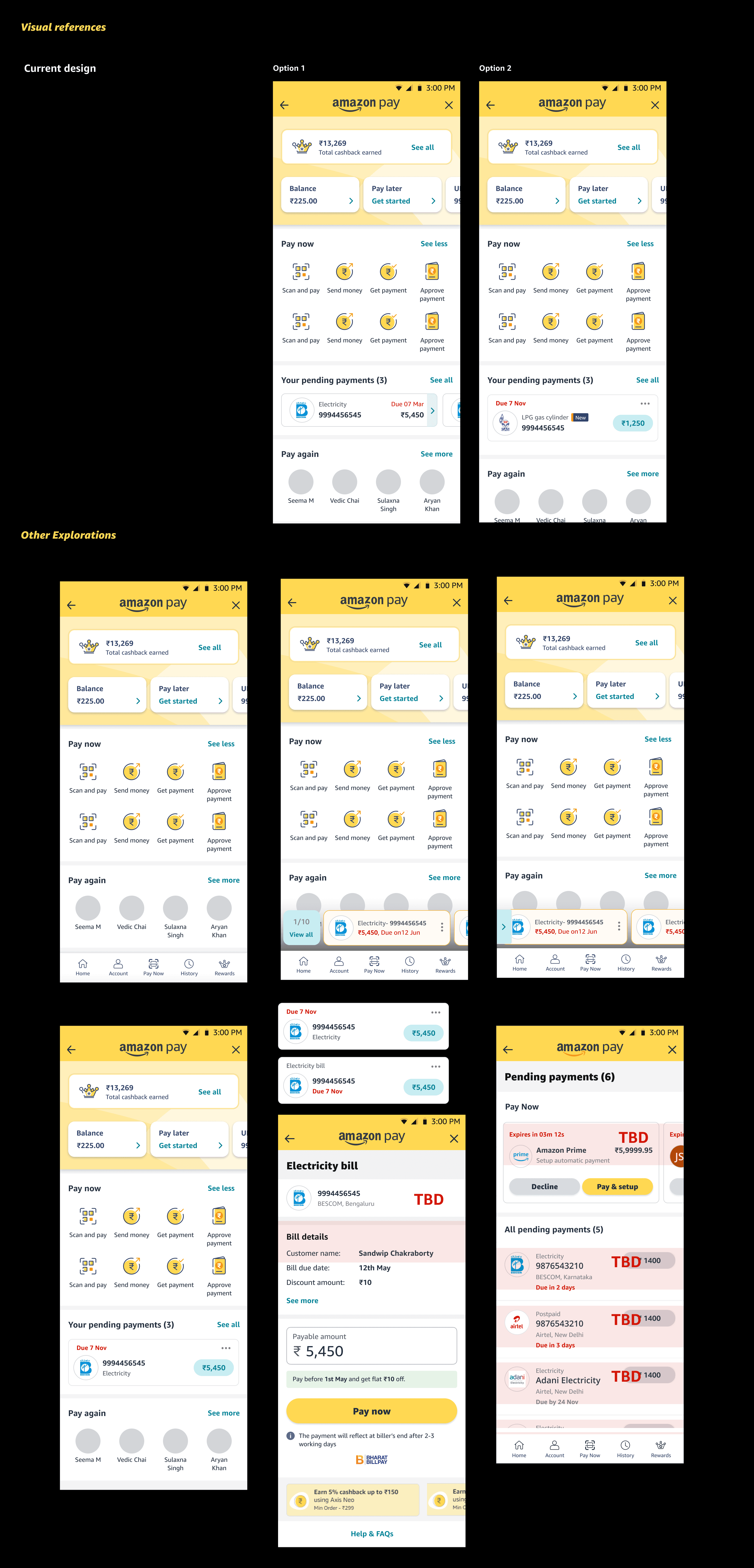
Reminders widget redesign
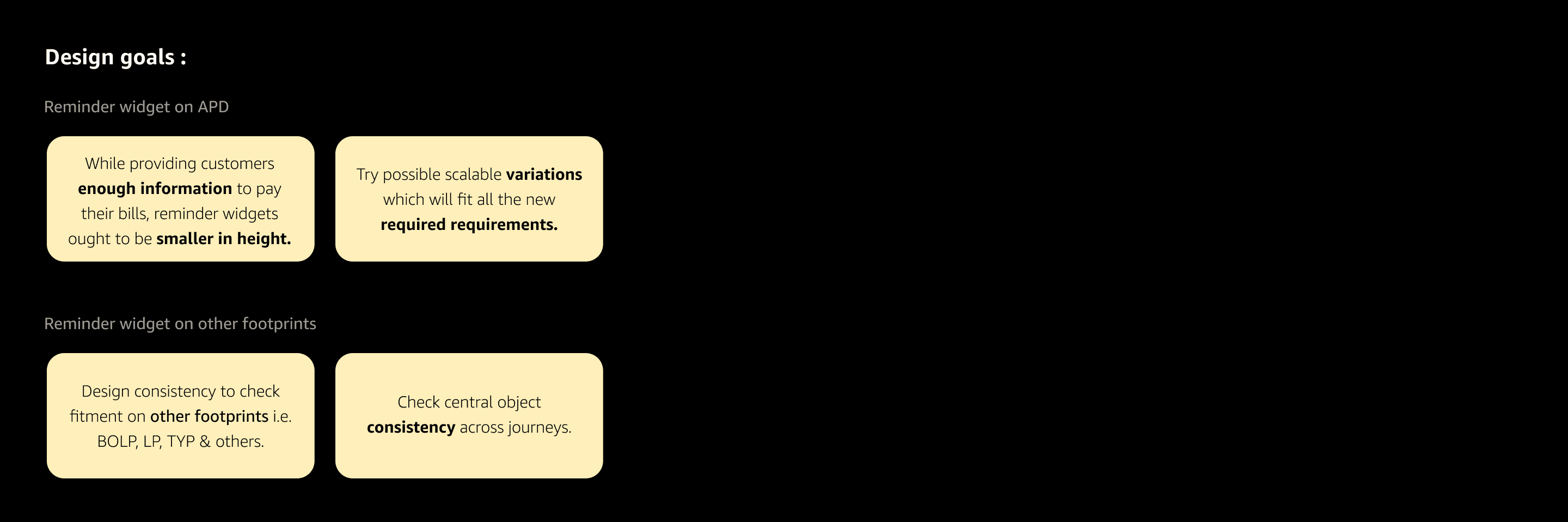
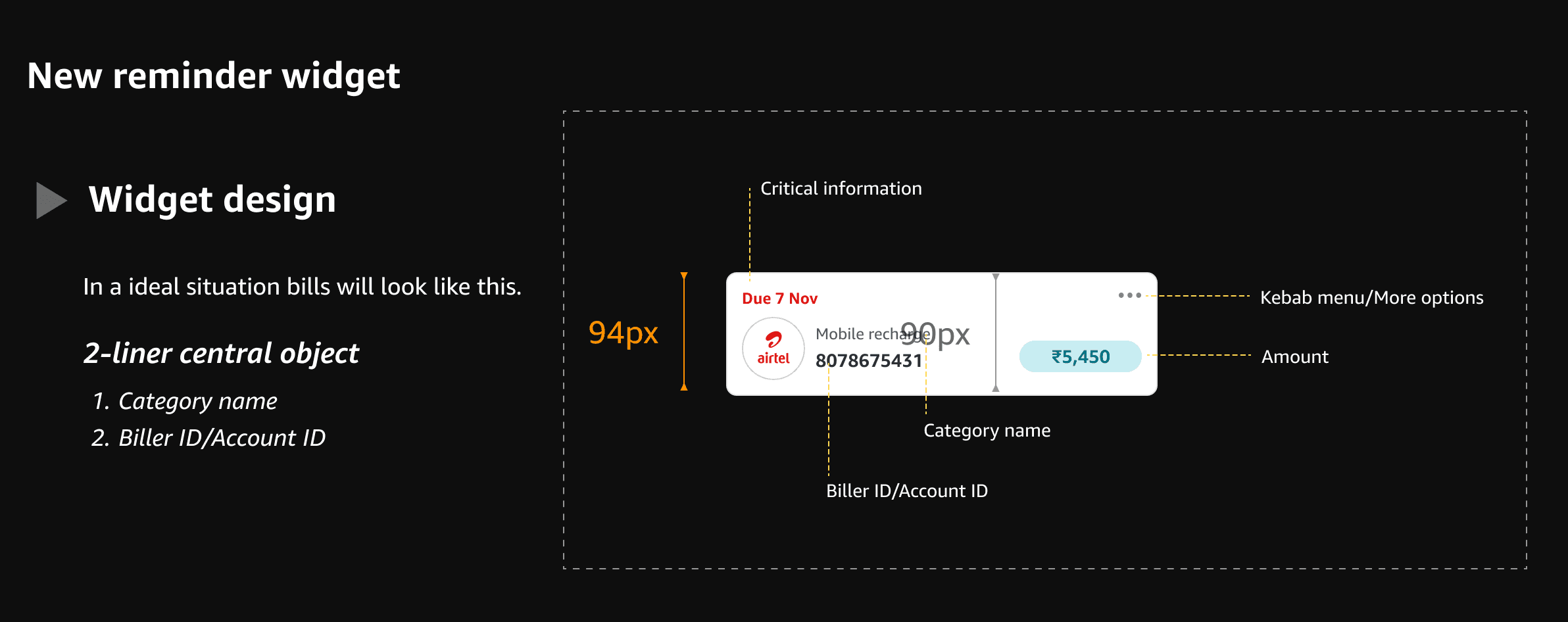
To make reminder widget bit smaller in height
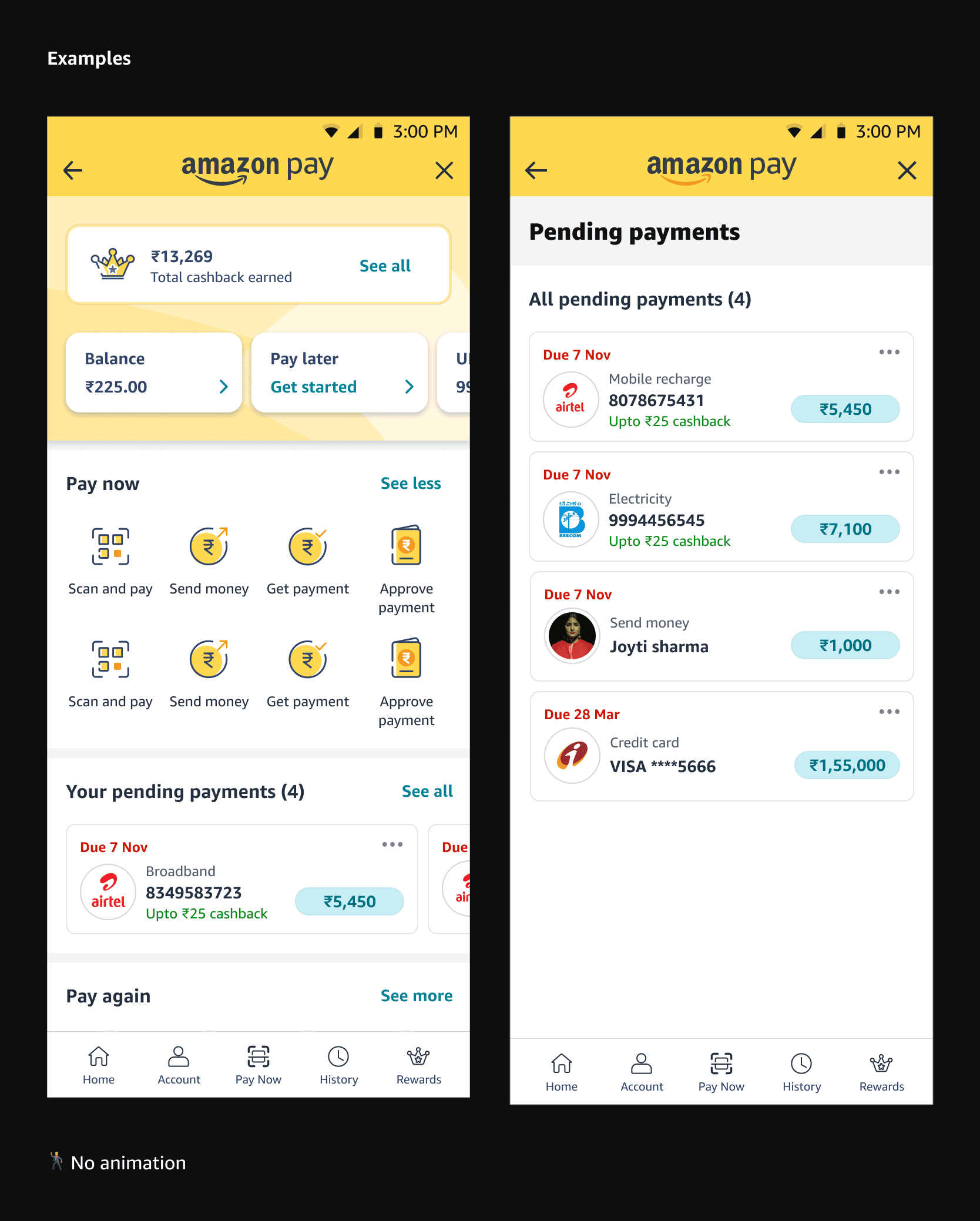
Check the fitment of consistent reminder widget across other footprints LP, BOLP & APD.
New remainder widget
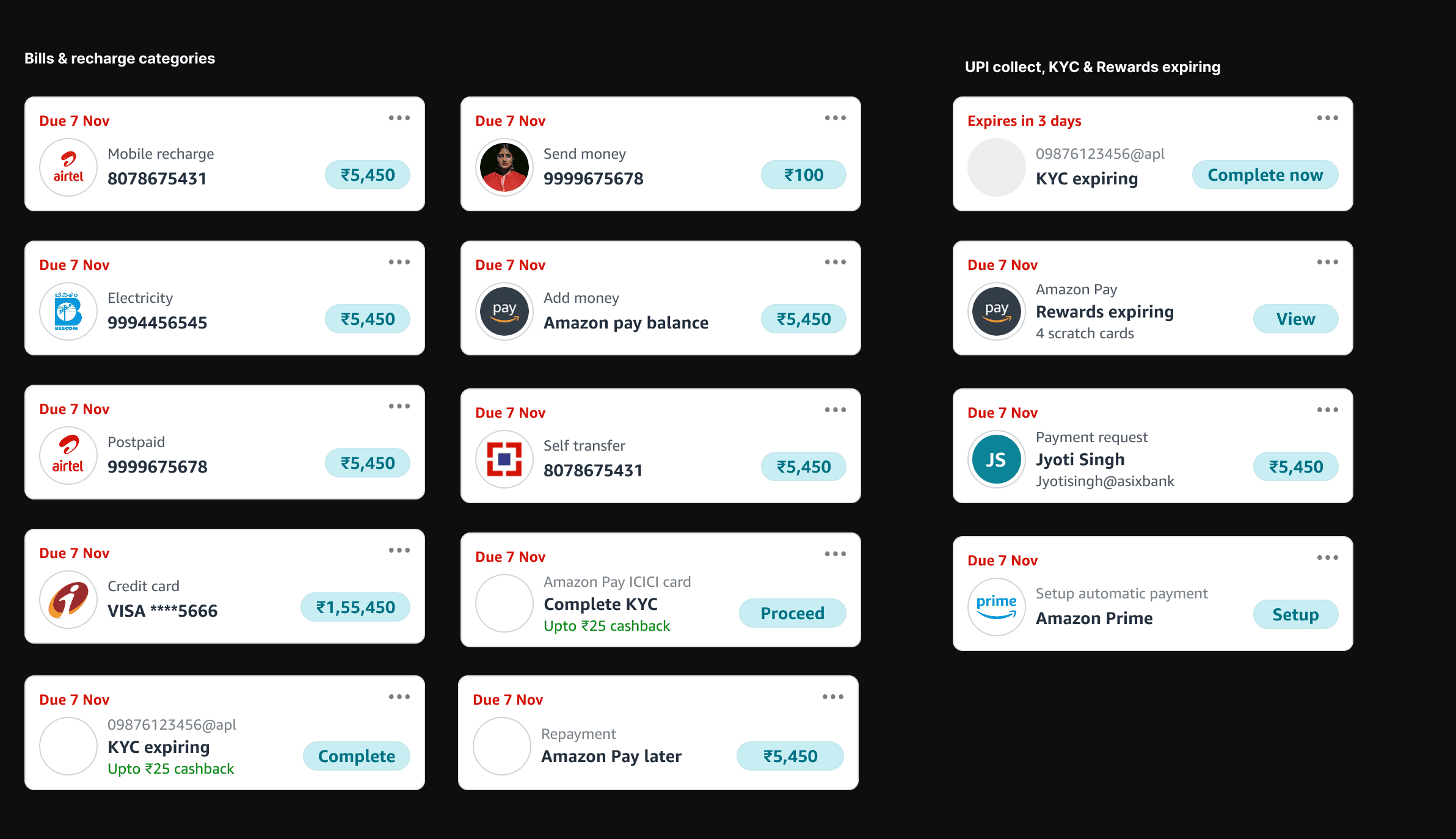
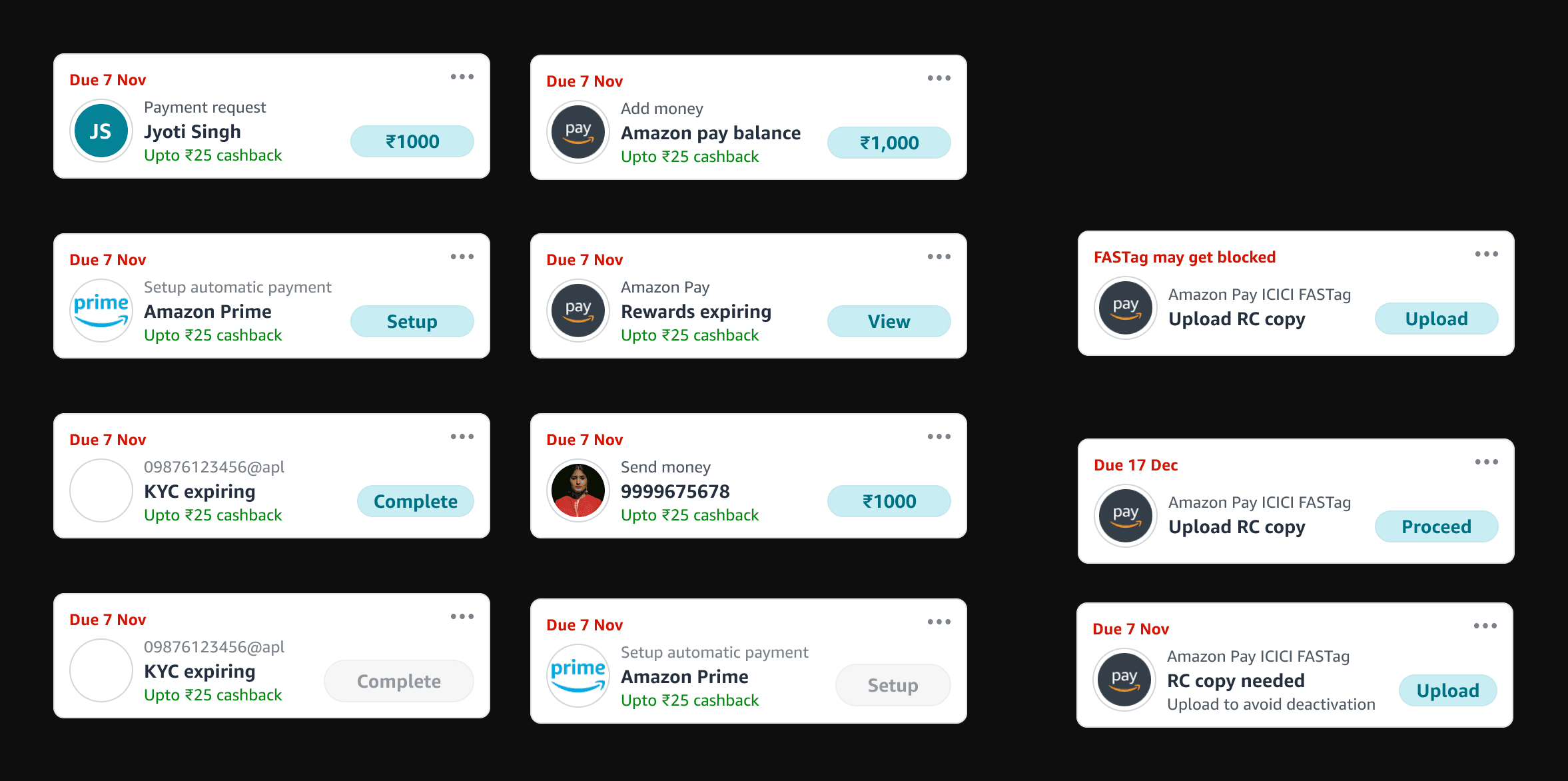
Variations
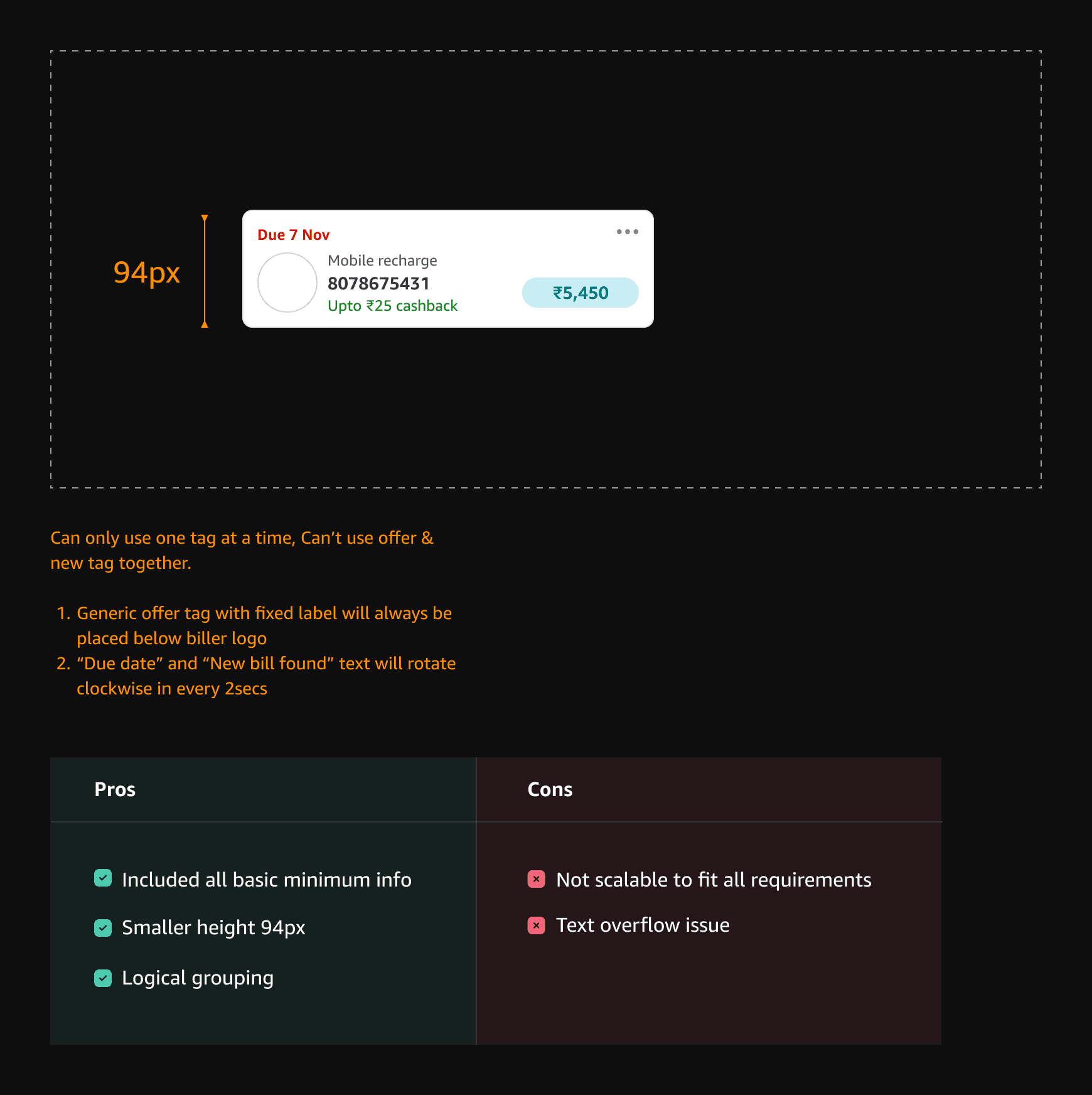
Offers
Purpose of reminder widget
The primary focus of the reminders widget is to assist our customers in staying organised and effectively managing their payments or tasks. To achieve this, it is crucial that the design layout of the widget is clean and minimalistic. This will ensure that customers can easily navigate through the widget and comprehend the tasks at hand without any confusion.
The information displayed should be presented in a clear and concise manner, avoiding any clutter that may overwhelm the customer. Only the essential information necessary for identifying the task should be listed on the widget, while any secondary details can be accessed on a separate details page if required.
Purpose of offer tag
Is to let customers know that some offer is attached to the bill.
Purpose of new bill found label
Is to let customers know that new bill found.
UPI collect & other requests
We can use 3 liner central object for UPI collect request. i.e. Mandate call, Bank name etc..
Impact
That's all folks!!!